
Photoshop is a very popular photo editing application from Adobe. But because it's paid, maybe you want to know about free Photoshop alternative applications that you can use to edit photos.
Photopea – Online Application Very Similar to Photoshop
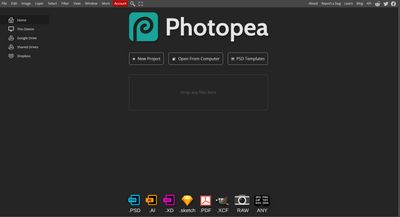
There is an online application that is very similar to Adobe Photoshop, including shortcuts used in the application. You can access the Photopea application at photopea.com.
If viewed at a glance, you will feel like opening Adobe Photoshop. So it is very likely easy to use for you who can already use Adobe Photoshop.
It's just that because it's an online application, how to open and save files uses upload and download methods. You can save in their cloud, only need a premium license to use it.
Furthermore, this application also has ad slots on the right side of the screen. If it doesn't bother you, the application is likely worthy as an Adobe Photoshop alternative. Moreover, it doesn't need installation, only needs an internet connection.
The weakness that might exist in this application is new Adobe Photoshop features, Photopea likely only has generic features and filters that are on par with Adobe Photoshop CS4 maybe.
Another weakness is that it is not suitable for editing very large photos or pictures like applications installed on a computer.
Update about photopea.com
You can install photopea.com as a PWA application - Progressive Web App, the function is so that you can access Photopea as a standalone application. Here's how:
- Open Chrome first
- Go to the url photopea.com
- If it's open, go to the menu more -> install photopea
- The Photopea application will be separated from Chrome.
And, after that you can directly search for the Photopea application directly from the searchbar. No need to go to Chrome first.
Hope it helps.
Gimp – Open Source Alternative to Adobe Photoshop
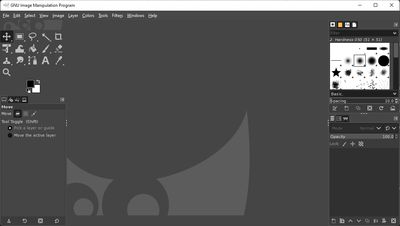
Gimp is an OpenSource application, if you don't know what Open Source is, you can read my article about what open source is.
Gimp stands for GNU Image Manipulation Program.
GNU itself stands for GNU Not Unix, a recursive acronym. GNU is an operating system similar to Unix but not Unix, GNU is made with free programs.
Although the name uses the word GNU, the Gimp application can be used on Linux and Windows. You can download the GIMP application with the button below.
Additional Applications related to publishing or image editing and graphic design (Honorable mention)
Scribus - Open Source Desktop Publishing Application
Scribus is a publishing application that runs as a Desktop application (Installed on computer) and is Open Source. Supports Linux, Mac, and also Windows.
You can get to know more about Scribus by clicking the link below.
Inkscape - Open source illustrator application, alternative to Corel Draw and Adobe Illustrator
Inkscape is a vector-based graphic image processing application like Adobe Illustrator and Corel Draw. This application is certainly open source and free.
Inkscape supports various computer operating systems such as Linux, Mac, and Windows. So if you are an illustrator, designer, and artist, there is no harm if you try this application.
Find out more about Inkscape through the following link: