
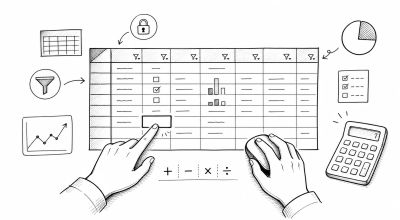
Core spreadsheet skills are the daily habits that make every later module easier. Before you build advanced formulas or dashboards, you need to enter data cleanly, format it consistently, and inspect it quickly.
This module covers the essential workflow for working faster without creating hidden data problems.
Concept: Why Core Skills Matter
Spreadsheet mistakes often come from small operational habits:
- Typing values in inconsistent formats
- Sorting only one column instead of the full table
- Losing headers while scrolling
- Using decorative formatting instead of meaningful formatting
- Writing formulas before checking whether the data is clean
Good core skills reduce rework. They also make your spreadsheet easier for another person to review.
Step 1: Use Faster Data Entry Habits
Start by making input predictable.
- Use one row for one record
- Use one column for one field
- Keep headers short and unique
- Avoid blank rows inside active tables
- Use copy down or fill handle for repeated patterns
Helpful entry patterns:
- Dates: use
YYYY-MM-DD - IDs: use a consistent prefix such as
INV-001 - Status values: use one controlled set like
Open,In Progress,Done - Numbers: type raw numbers, then apply formatting
Step 2: Apply Formatting Essentials
Formatting should clarify meaning. It should not change the underlying data.
Use these formats intentionally:
- Number: quantities, scores, units
- Date: deadlines, order dates, transaction dates
- Currency: revenue, cost, budget
- Percent: conversion rate, growth rate, completion rate
Good examples:
- Store
1500000, display as currency - Store
0.25, display as25% - Store
2026-05-26, display as a readable date
Avoid typing display symbols into raw values, such as Rp 1,500,000 or 25% as plain text.
Step 3: Freeze Panes for Readability
Freeze panes keep important labels visible while scrolling.
Recommended setup:
- Freeze the header row
- Freeze the first column only when row labels are important
- Avoid freezing too many rows or columns
For long datasets, this small step prevents reading the wrong column by accident.
Step 4: Use Filters Carefully
Filters help you inspect subsets of data without changing the source.
Use filters to:
- Show one status, region, or category
- Find blank values
- Review unusual numbers
- Check one time period
Before sharing a file, reset filters or clearly document which filter is active.
Step 5: Sort Without Breaking Rows
Sorting is useful but risky when done carelessly.
Best practice:
- Select the full table range
- Confirm headers are included
- Sort by one clear column first
- Add secondary sort only when needed
- Check that records still make sense after sorting
Do not sort a single column in a table unless you intentionally want to separate it from the row records.
Step 6: Learn Basic Formulas
Start with the simplest formulas before adding complex logic.
Common formulas:
SUM: add numeric valuesAVERAGE: calculate mean valueCOUNT: count numeric cellsMIN: find lowest valueMAX: find highest value
Example:
=SUM(E2:E100)
Use formulas on clean numeric ranges. If results look wrong, check whether numbers are stored as text.
Practice Task
Download the sample CSV from /assets/data/spreadsheet-sample-sales.csv, or create a simple sales table with these columns:
Order DateRegionProductQuantityUnit PriceTotalStatus
Then complete these tasks:
- Format
Order Dateas date - Format
Unit PriceandTotalas currency - Freeze the header row
- Add filters to the header row
- Sort by
Order Date - Use
SUM,AVERAGE,MIN, andMAXon theTotalcolumn
Common Errors
Watch for these:
- Numbers stored as text
- Dates typed in mixed formats
- Filters left active before sharing
- Sorting one column instead of the whole table
- Blank rows breaking table ranges
- Currency symbols typed directly into raw cells
Quick Recap
Core skills are about clean handling:
- Enter data in a consistent table structure
- Use formatting to display meaning
- Freeze headers for safer reading
- Filter and sort with care
- Use basic formulas only after checking data types
Once these habits are stable, you are ready to move into formula fundamentals and data cleaning with much less friction.